
Digital Downloads
Sell and deliver files directly from your site. Upload once, attach to a membership plan (recurring payments) or a one‑time product, and Beamly will handle secure delivery to your buyers or members.
- Highlights
- 0% platform fees; (standard Stripe fees apply)
- On-site checkout with Stripe
- Private, protected download links after purchase
- Works with recurring plans and one-time products
- File hosting included and large files supported
- Customers can re-download from their account at all times.
Read more here: https://beamly.com/features/digital-downloads/
What can you sell? Anything really!
- eBooks and PDFs
- Templates and design assets (ZIPs, images, etc.)
- Audio and music
- Video downloads
- Content bundles (multiple files in one product or plan)
Add digital downloads to a one‑time product
- Go to the Products section of your dashboard.
- If prompted, click Connect with Stripe and complete the flow.
- Click Create New Product.
- Add Product Name, set Price (one-time), and write a Description. Optionally set a featured image.
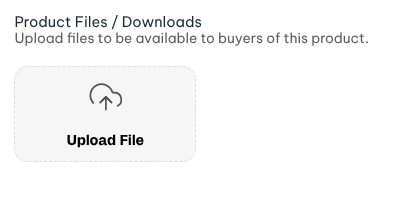
- In Files / Downloads, upload your files:
- Any common file type is supported (audio, video, PDFs, ZIP, images, etc.).
- File size limits:
- Audio: up to 3 GB
- Video: up to 25 GB
- Other files: up to 3 GB
- Files uploaded here are private by default and only accessible to buyers / registered members.
- Optional: Restrict content access to other resources (podcasts, video channels, courses, pages, or the entire blog) to bundle more value with your product.
- Click Save Product.
Add digital downloads to a membership plan
- Go to the Membership Plans section of your dashboard.
- Connect Stripe if you haven’t yet.
- Click Create New Plan.
- Set monthly and/or yearly pricing.
- Add Description, Features, and a Featured Image.
- In Files / Downloads, upload the files members will get.
- Optional: Restrict additional content access (podcasts, video channels, courses, pages, blog).
Managing files and access
- Add/remove files: Edit the plan/product and use Files / Downloads to add more or remove existing files.
- Multiple files: You can attach multiple files to a single plan or product.
- Access rules: Plans and products can also grant access to podcasts, video channels, courses, pages, or the entire blog.
Roadmap
Files can be attached to plans and products to support Digital Downloads.
Additionally, you can add attachments on individual episode/video/lesson pages to upload files within their own context. This makes it more flexible when you want to include files that are part of a specific content-item and not the general subscription-plan or product.