
Team Users
Beamly let you add team users / collaborators to help you manage your account, content and website. It is a great solution if you want your team to help you work on the site or if you manage websites for your clients, etc.
Collaborators cannot access your billing or account info, and they cannot access the "Danger Zone" (so, they cannot delete the site or make changes to your subscription plan).
That aside, they can manage almost everything else and help in customizing the site, adding content and so on.
Adding a new Collaborator to your site
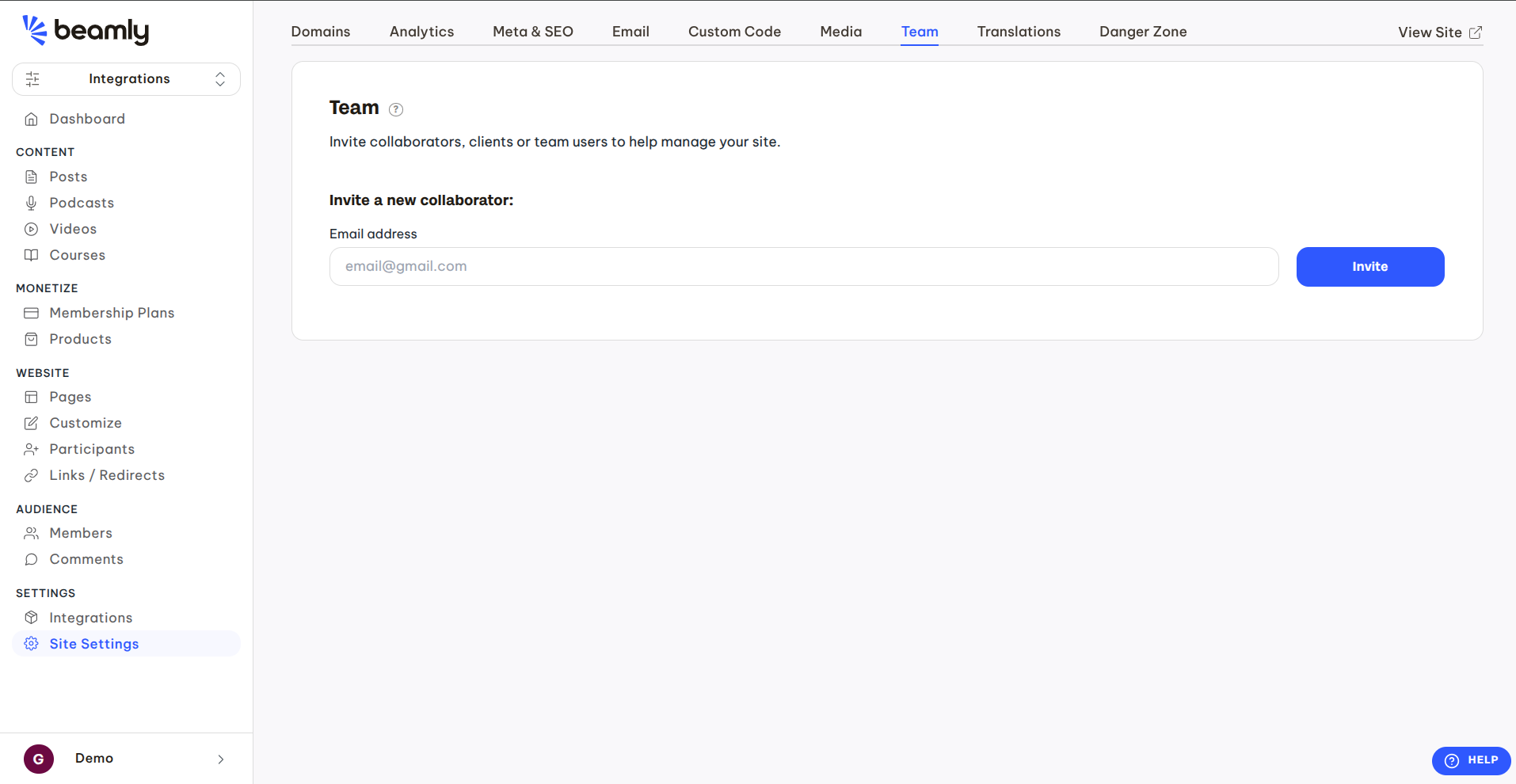
- On the left sidebar, click on the Site Settings link, then Team on the secondary menu at the center of your screen.
- You'll land on the "Team" page, where you can invite new collaborators and manage your existing collaborators.
- To add a new user, enter their email address and click the Invite button.
The collaborator will receive an email notification with a signup link. Once they accept the invitation and signup or login, they'll be able to access your site and help you manage it. (If they are new to Beamly, they will need to sign up via the link provided in the email. When they sign up, they will see your website right away.
Collaborators for accounts with multiple websites
If your account has multiple websites, note that the collaborators feature work on a per-site basis. You'll be able to add the same collaborator separately on each one of your individual websites.